 Curfew
Decide your YouTube time before it opens.
Curfew is a free browser extension. It covers YouTube until you pick a mode and a time, keeps the distractions out of sight, and tells you when your time is up.
Add to Chrome — it’s free- Chrome and Edge on PC and laptop
- No account
- No analytics
A clear start, a clear stop.
-
Choose before it opens
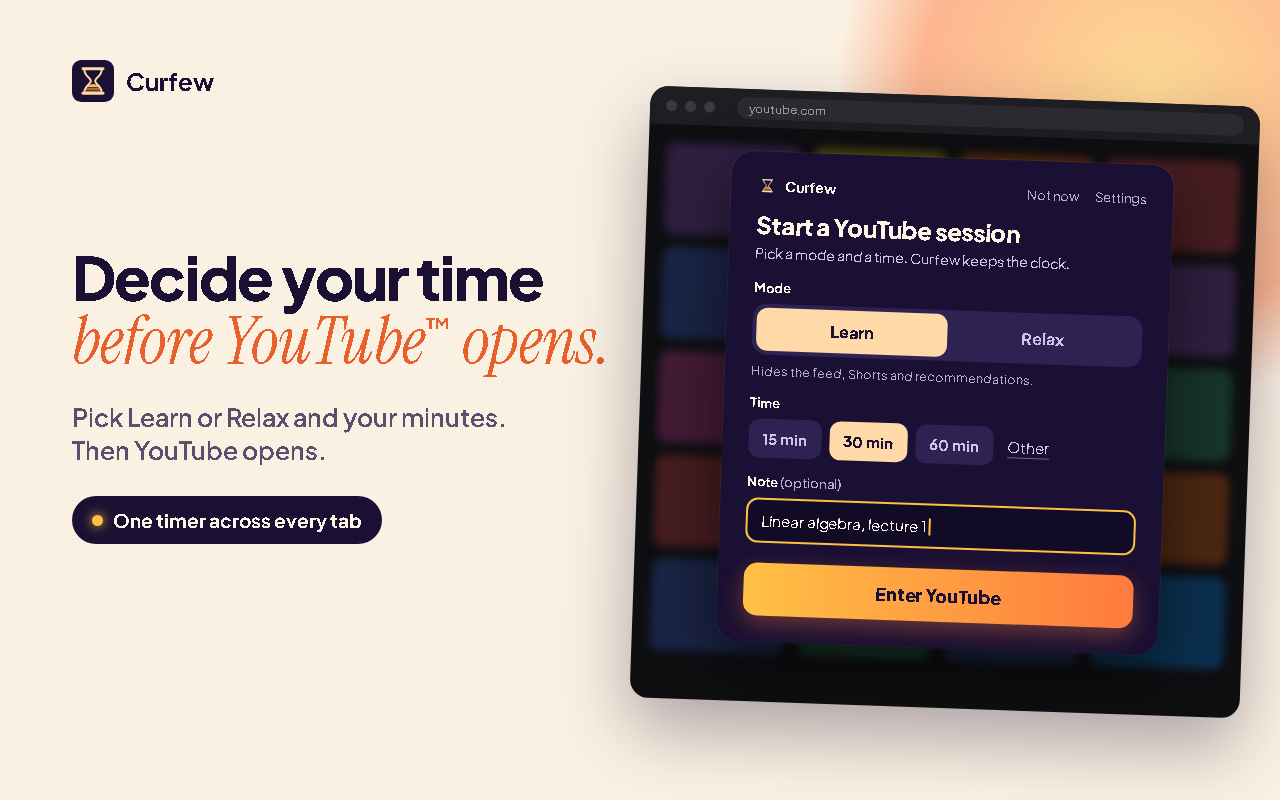
Open YouTube and Curfew asks first: Learn or Relax, and 15, 30 or 60 minutes, or a time of your own. Add a short note if it helps. After a three-second pause, you’re in.
-
Watch what you came for
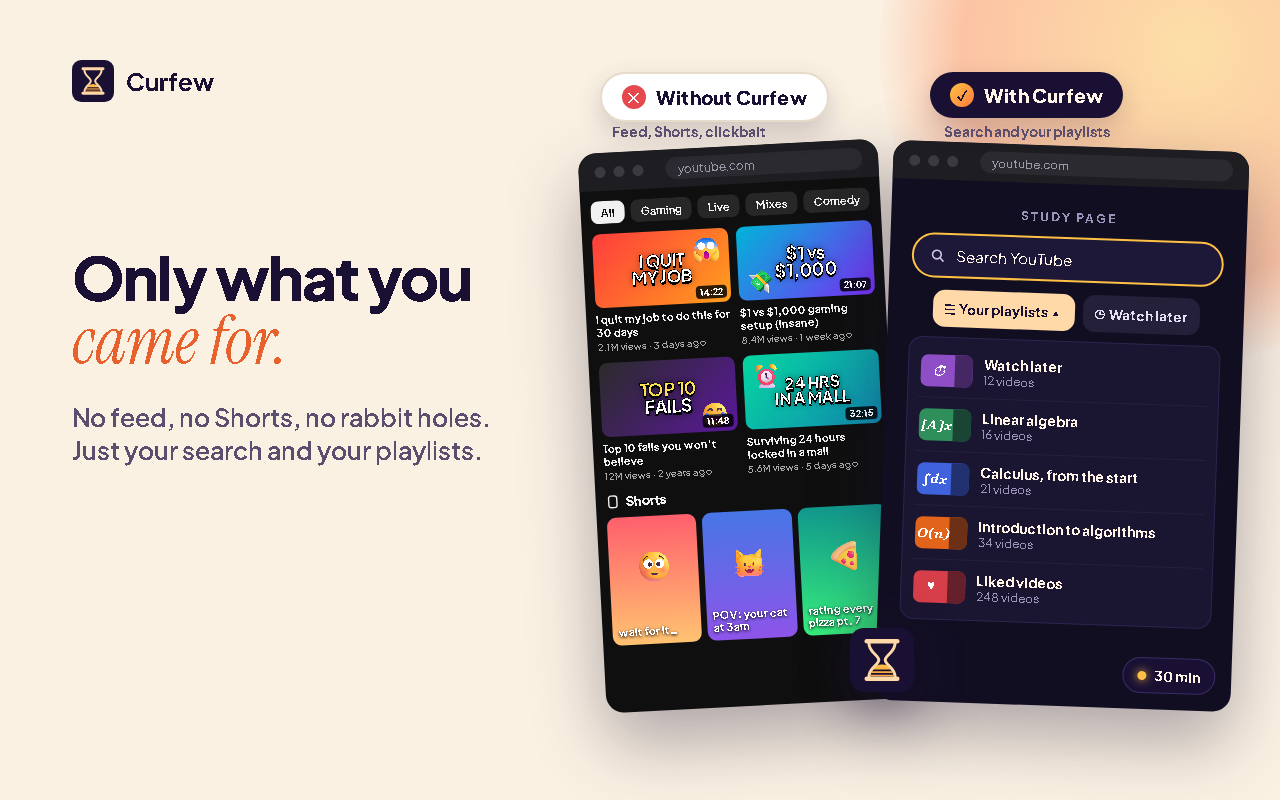
In Learn, YouTube’s home page becomes a calm start page: a search box, your playlists and the shortcuts you pick, instead of the feed.
A small clock shows the time left. One session runs across all your YouTube tabs.
-
Leave on time
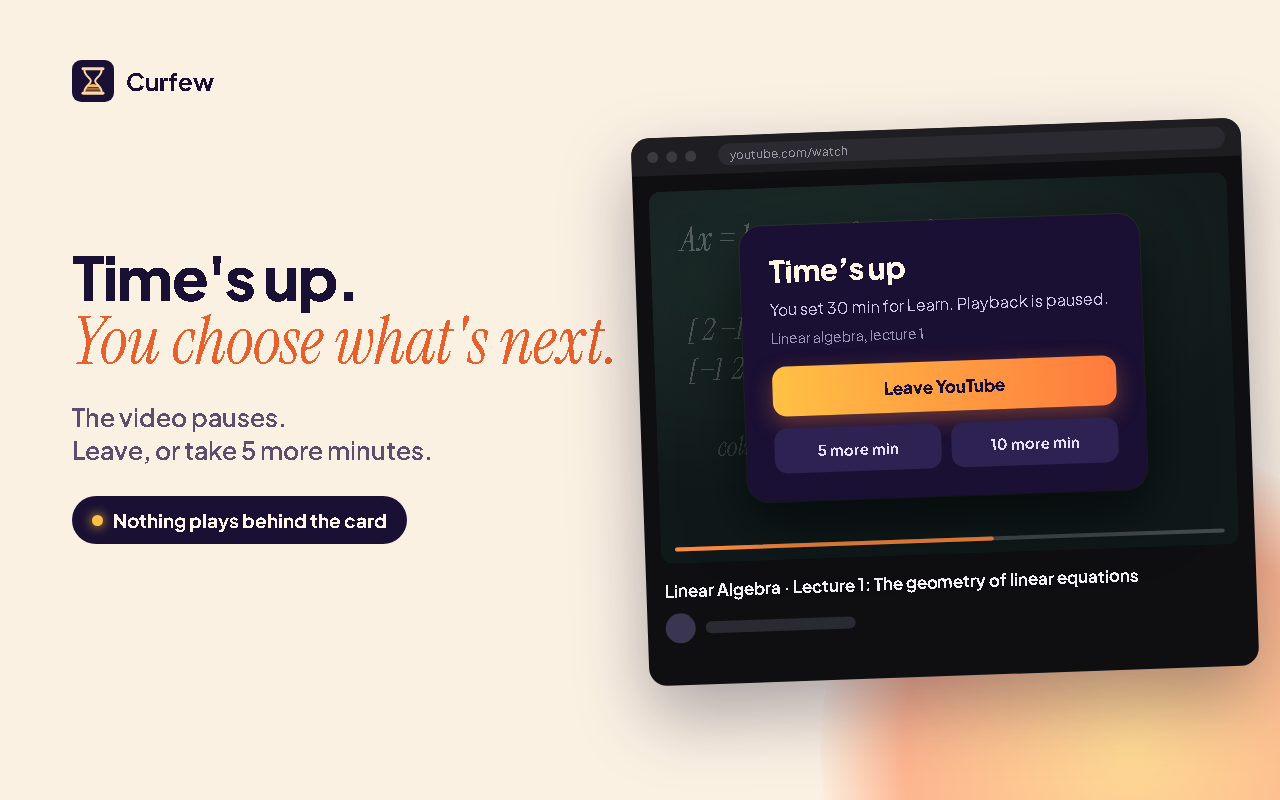
When the time is up, the video pauses and a card covers it. Leave closes the tab, or add 5 or 10 minutes.
Adding time always works; your strictness decides whether it waits first. Gentle never waits. Balanced waits 3 seconds from the third time. Strict waits 10 seconds from the second.
Two ways in, one clock.
Learn
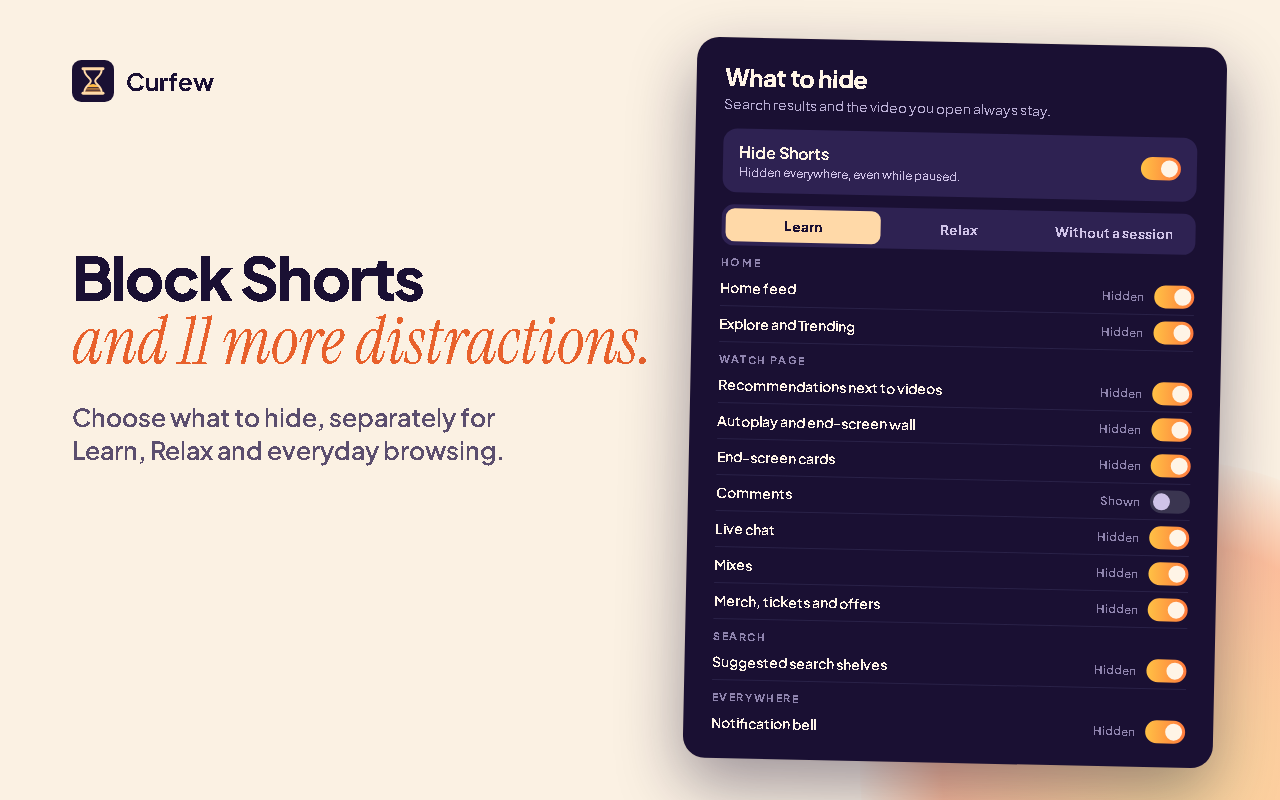
For study. A quiet start page takes the home feed’s place. Shorts, recommendations and end screens stay hidden, and outside your own playlists the next video doesn’t start on its own.
Relax
For a break. YouTube stays close to how you know it, with the same clock and the same clear stop. Shorts stay hidden unless you turn them back on.
You choose what each mode hides, and you can switch modes during a session.
Made for PC and laptop.
- Google Chrome on Windows, Mac, Linux and ChromeOS. Install it from the Chrome Web Store.
- Microsoft Edge. Open the Chrome Web Store in Edge, allow extensions from other stores, then add Curfew.
- Not on phones or tablets. Curfew supports desktop Chrome and Edge only. Mobile browsers and the YouTube app aren’t supported.
Your viewing stays yours.
- No account, no ads, no analytics.
- Curfew has no server and sends no data to us. It only talks to YouTube, for example to load your playlists when you open them.
- Your settings and your session stay in your browser, on your device.
- It works only on YouTube and asks for two permissions: storage, and access to YouTube pages.
Straight answers.
How do I set a time limit on YouTube on my laptop?
Add Curfew to Chrome or Edge. The next time you open YouTube, it asks for a mode and a time first: 15, 30 or 60 minutes, or your own. When the time is up, the video pauses and you choose to leave or add a few minutes.
How do I block YouTube Shorts on PC?
Curfew hides Shorts by default: the shelves, the feed and the Shorts buttons. A Shorts link opens in the regular video player instead of the endless feed. You can turn Shorts back on in settings whenever you like.
Does it work on my phone?
No. Curfew supports desktop Chrome and Edge. Phones, tablets and the YouTube app aren’t supported.
Can parents use it to lock a child’s YouTube?
No. Curfew is a self-control tool for your own viewing, not parental control. Anyone at the keyboard can add time, pause it or turn it off. For a child’s device, use the parental controls built into the device or into YouTube.
Something not working?
Email mhasetechnologies@gmail.com
Common fixes
- The start screen or the clock doesn’t show. Reload the YouTube tab. Tabs that were open before you added Curfew need one reload.
- Curfew just updated. Reload your open YouTube tabs so they pick up the new version.
- Something isn’t hidden, or a page looks wrong. YouTube changes its pages often. Email us what you saw and on which page.